Yealink MeetingBar A25 – Video Bar for Focus Rooms and Huddle Rooms
Yealink MeetingBar A25
A compact video bar with a 151° field of view and a one-cable design for focus rooms.
Chat on WhatsAppKey Features of the Yealink MeetingBar A25
- ✓One ultra-wide lens and two telephoto lenses (triple 4K) with a 151° field of view.
- ✓IntelliFocus and Video Fence: the picture focuses on the speaker, and the area remote participants can see and hear can be limited.
- ✓Full-duplex audio with AI-enhanced noise cancellation, so people can speak at the same time more clearly.
- ✓One-Cable: a single Cat5e cable from the video bar to the CTP25 touch console carries power and network. A single USB-C cable from the console to a PC provides 4K sharing, BYOD, and charging.
- ✓Android 13 based with Microsoft Device Ecosystem Platform (MDEP) support, manageable through Teams Admin Center and Yealink management platforms.
What Rooms Is the A25 For?
The MeetingBar A25 is designed for focus rooms and huddle rooms: small rooms for short meetings and team discussions. For larger meeting rooms, compare it with the A40 or A50.
- Focus rooms and huddle rooms for small teams.
- Rooms that need a compact installation with few cables.
- Rooms running Microsoft Teams Rooms on Android or Zoom Rooms.
MeetingBar A25 vs A40 and A50
Key specifications summarized from official Yealink data.
| A25 | A40 | A50 | |
|---|---|---|---|
| Room size | Focus and huddle rooms | Premium small to medium rooms | Premium medium to large rooms |
| Camera | 1 ultra-wide and 2 telephoto (triple 4K), bidang pandang 151° | 2 × 48MP lenses, 4K 60 fps, 120° DFOV, 6x digital zoom | Triple-eye 3×50MP, electric lens cap |
| Audio | Full-duplex, AI noise cancellation | 8 MEMS microphones, 2 × 10W speakers, 2 expansion microphones supported | 4 × 5W speakers, 10 m pickup distance, intelligent full-duplex |
| AI features | IntelliFocus, Video Fence | IntelliFocus, Auto Framing, Speaker Tracking | IntelliFocus, Video Fence |
| Platforms | Teams Rooms on Android, Zoom Rooms | Teams Rooms on Android, Zoom Rooms | Teams Rooms on Android, Zoom Rooms |
| Compatibility | Android 13, MDEP | MDEP | MDEP |
Supporting Accessories for the A25
Avitek Services for MeetingBar Projects
The right model depends on room size, acoustics, and the meeting platform in use. The Avitek team helps from the first survey until the system is running.
Consulting & survey
Choosing the right model for room function, participant count, and meeting platform.
System design
Room layout, device placement, cabling, and an integration plan.
Procurement & installation
Original, warrantied Yealink devices installed and configured by our technical team.
Training & after-sales
User and IT team training, plus after-sales support once the project is complete.
Frequently Asked Questions
What are the advantages of the Yealink MeetingBar A25?
The A25 offers a 151° field of view from three 4K lenses (one ultra-wide and two telephoto), full-duplex audio with AI noise cancellation, and a one-cable connection to the CTP25 touch console for a compact installation.
Is the A25 suitable for large meeting rooms?
The A25 is intended for focus rooms and huddle rooms. For small to medium rooms see the MeetingBar A40, and for medium to large rooms see the MeetingBar A50.
What is the One-Cable design on the A25?
A single Cat5e cable from the video bar to the CTP25 touch console carries power and network. From the console, a single USB-C cable to a PC is used for 4K sharing, BYOD, and charging.
Which platforms does the A25 support?
The A25 is Android 13 based and available for Microsoft Teams Rooms on Android and Zoom Rooms. Mention the platform in use during consultation so the device is configured accordingly.
How can I request a quotation or demo for the A25?
Contact the Avitek sales team via WhatsApp or email. Share the room size and meeting platform for a more accurate recommendation.
Other MeetingBar Models
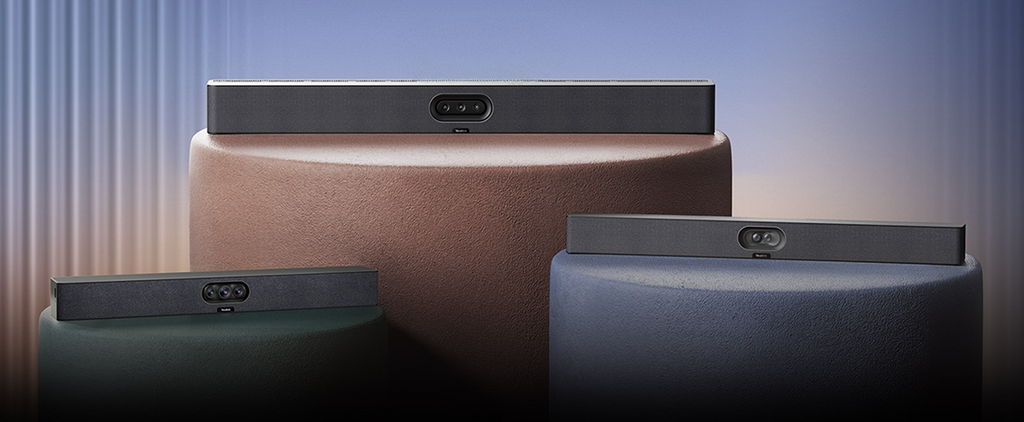
Plan the Meeting Room with Yealink MeetingBar A25
Tell us the room size, number of participants, and meeting platform in use. Our team prepares a model recommendation and a product demo.
▸ About Yealink MeetingBar A25 in Indonesia – via Avitek
See also the Yealink page for the MVC and ZVC lines and other accessories, and the HP Poly Studio video bars for comparison. For a quotation or demo, contact the Avitek sales team via WhatsApp +62 851-2191-5473 or email info@avitek.co.id. Avitek serves companies, state-owned enterprises, government agencies, and educational institutions in Jakarta, Greater Jakarta, and across Indonesia.